What Is Mesh Networking?
A mesh network is a communication system where every device acts as both a sender and a repeater. Instead of routing your message through a cell tower or the internet, each node passes messages along to the next one in range — hopping from device to device until it reaches its destination.
Think of it like a bucket brigade. One person can't throw water across a football field, but ten people spaced out can pass the bucket quickly. Mesh radio works the same way — your message hops through every node between you and the recipient.
When cell towers go down — whether from a hurricane, earthquake, EMP, or grid failure — mesh networks keep working. There's no central infrastructure to fail. As long as two devices are within range of each other (or there are intermediate nodes to relay through), you can communicate. Distance between two people can extend to many miles if you've placed nodes throughout a neighborhood.
You've probably seen "mesh networking" mentioned in our app and on the gear page. The specific technology we're talking about for preppers is LoRa mesh radio — a low-power, long-range radio system combined with software firmware that turns cheap hardware into a communications network that rivals anything governments field in disasters.
LoRa: The Radio Technology
LoRa stands for Long Range. It's a specific radio modulation technique developed by a company called Semtech — and it's genuinely impressive engineering. LoRa allows very small amounts of data to travel very long distances using very little power, by spreading the signal across a wider frequency range than traditional digital radios.
The tradeoff: LoRa is slow. We're talking a few hundred bytes per second, not megabytes. You're not streaming video or sending photos. You're sending short text messages, GPS coordinates, and status pings — exactly what you need in an emergency.
LoRa vs. Other Radio Options
Why not just use ham radio or walkie-talkies? You can — and ham radio is a powerful tool in any prepper's kit. But LoRa mesh has a few specific advantages:
- No license required (US)
- Automatic message relaying
- GPS tracking built in
- App-driven — no radio knowledge needed
- Weeks of battery life
- Text only (no voice)
- Short messages only
- Voice communication
- Extremely long range
- Large established community
- License required to transmit
- No automatic routing
- Higher power consumption
- Voice — easy to use
- No tech knowledge needed
- Short range (1–5 miles)
- No relay/mesh capability
- No GPS integration
- Batteries die fast
LoRa mesh doesn't replace ham radio — it complements it. Ham gives you voice and global reach. LoRa mesh gives your whole family a always-on, GPS-enabled text network that requires zero radio knowledge to operate. They're different tools for different scenarios.
The 915MHz Frequency Band
In the US, LoRa mesh operates primarily on 915MHz — part of the unlicensed ISM band. This means anyone can transmit on it without a license, just like Wi-Fi. (Other regions use different frequencies: 868MHz in Europe, 433MHz in Asia.) The 915MHz frequency penetrates buildings reasonably well and carries farther than the 2.4GHz Wi-Fi you're used to — it's a sweet spot for urban emergency comms.
Meshtastic: The Original Firmware
LoRa is the radio hardware. Meshtastic is the software that runs on it.
Meshtastic is an open-source project (started in 2020 by Garth Vander Houwen and contributors) that takes cheap LoRa hardware and turns it into a full-featured mesh messaging network. You flash the firmware onto a compatible radio module, pair it to your phone via Bluetooth, and you're on the mesh.
The companion app — available on iOS and Android — gives you a simple messaging interface that looks roughly like a basic SMS app. You can send messages to specific nodes, broadcast to everyone on the channel, view GPS positions of other nodes on a map, and set up automated status beacons.
What Meshtastic Does Well
- Mature, battle-tested firmware with years of real-world use
- Massive global community — public mesh networks exist in most major cities
- Excellent phone apps (iOS + Android) that are genuinely beginner-friendly
- Built-in GPS tracking — see everyone's location on a map without setup
- Wide hardware support — runs on dozens of different radio modules
- Encrypted channels — your family's communications are private
- MQTT gateway mode — nodes with internet can bridge your mesh to the internet (optional)
The Meshtastic App + FieldScout
Prepper.blog's own FieldScout app now uses MeshCore as its default mesh protocol, with Meshtastic supported as a fallback. When your node is paired, FieldScout can display your mesh network's status, relay alerts, and overlay your contacts' positions on offline maps — so it all works even without cell data.
Range varies wildly based on terrain, obstructions, and antenna. In dense urban areas (Manhattan, downtown Chicago), expect 0.5–3 miles node-to-node. In suburban areas: 3–10 miles. Line-of-sight from a rooftop or hilltop: 20–50+ miles. Even at 1-mile range, a handful of nodes scattered across a neighborhood can cover the whole area through relaying.
MeshCore: Our Recommended Firmware
MeshCore is a newer, alternative firmware for LoRa mesh radios — a direct competitor to Meshtastic. Where Meshtastic is the established incumbent built on broad hardware support, MeshCore takes a more opinionated approach focused on network efficiency, range optimization, and a different routing strategy.
How MeshCore Differs
Meshtastic uses a flooding approach — when a node receives a message, it rebroadcasts it to everyone in range, and so does every node that hears that rebroadcast. It's simple and works with zero configuration, but on busy or congested networks, packets can collide and messages can fail to deliver. It also assumes nodes are relatively stable in location, so when nodes are constantly moving, the mesh topology shifts faster than routing can keep up.
MeshCore uses a smarter, more targeted routing strategy. Nodes learn the network layout and route packets deliberately rather than flooding. The result is significantly more reliable message delivery — especially on denser networks. The tradeoff: it's designed primarily for stationary deployments. Nodes that move frequently can disrupt routing tables and degrade performance.
Bugging out? Meshtastic is the better choice. Its flooding approach adapts naturally to a moving group — even as your nodes change location, messages find a path. Bugging in? MeshCore is worth the extra setup. Fixed nodes in known positions deliver far more reliable message transmission, which matters when you're coordinating a neighborhood or building a permanent neighborhood comms net. Think of it this way: Meshtastic is a moving convoy radio, MeshCore is a fixed neighborhood intercom.
- Designed for fixed, organized community mesh deployments
- Significantly more reliable message delivery than Meshtastic's flooding model
- Better for dense networks — less congestion, fewer dropped packets
- Less suited for mobile/moving nodes
- Growing community, but smaller than Meshtastic's
- Less plug-and-play — better for technically inclined users
- Primarily targets nRF52840 chipset hardware (e.g., Heltec T114)
MeshCore vs Meshtastic
For most preppers — especially anyone new to mesh radio — the answer is straightforward: start with MeshCore. Here's why:
Floods messages through every node. Adapts well to moving nodes and changing topology. Less reliable delivery on congested networks — messages can drop when many nodes are transmitting at once. Best for groups on the move.
Routes packets deliberately through learned paths. Significantly more reliable message delivery on fixed networks. Degrades when nodes move frequently. Best for fixed neighborhood or home installations.
Bugging out (evacuating, moving)? Use Meshtastic. Its flooding model keeps working as your group moves — nodes don't need to know each other's location ahead of time, and messages find paths dynamically.
Bugging in (sheltering in place)? MeshCore is worth the extra setup effort. Fixed nodes in known positions give you reliable, low-congestion message delivery — exactly what you want for a permanent neighborhood comms network. Think of Meshtastic as a moving convoy radio and MeshCore as a fixed neighborhood intercom.
- Works on the widest range of hardware
- Best-in-class beginner apps (iOS + Android)
- Ideal for mobile use — groups on the move
- Millions of nodes deployed worldwide
- Less reliable on congested networks
- Flooding model wastes bandwidth at scale
- More reliable message delivery
- Default protocol in FieldScout app
- Less congestion on dense networks
- Ideal for fixed bug-in installations
- Degrades when nodes move frequently
- Smaller community, less documentation
- More complex setup
- Narrower hardware compatibility
Neither firmware is perfect. Both can drop messages under the right (wrong) conditions — congestion, interference, distance, obstructions. If you send a message on a mesh network and it doesn't arrive, that's usually the network, not your device or app. This is normal behavior for any radio mesh system. Retry, move closer to another node, or wait for congestion to clear. See our FAQ below for more on what to expect.
Hardware: What to Buy
The LoRa mesh ecosystem has dozens of hardware options ranging from raw circuit boards you assemble yourself to fully encased, ready-to-use handhelds. For preppers, we have two primary recommendations — one for people who want zero friction, and one for those comfortable with minimal setup.
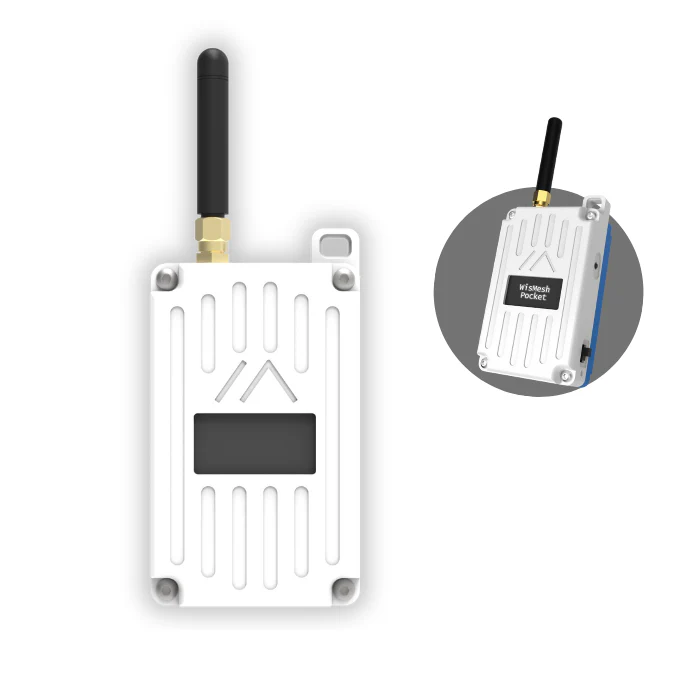
Open the box. Charge it. Pair to the MeshCore app. That's it. Built-in GPS, rugged case, pre-flashed and ready. The best choice for family members who aren't technical.
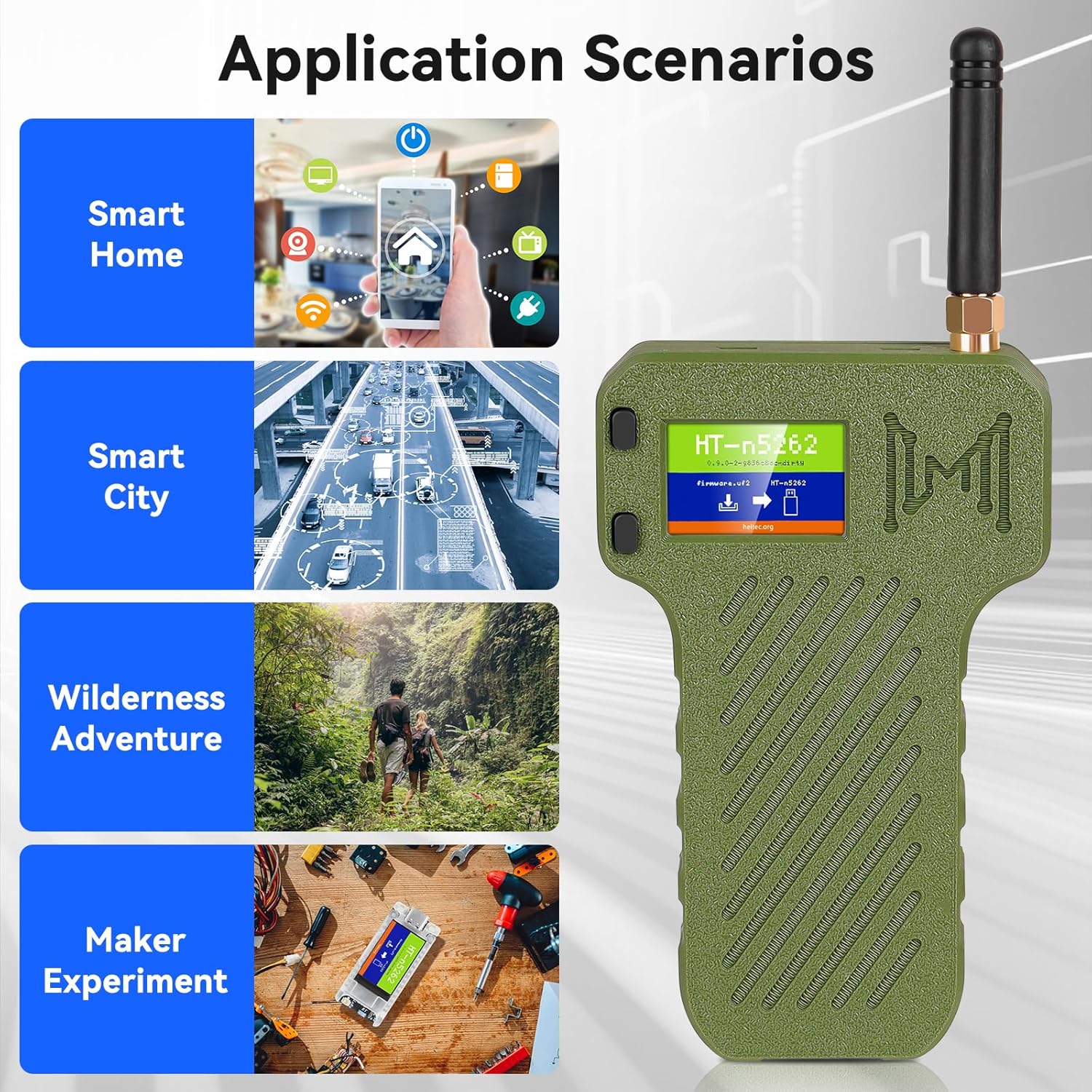
The best performing MeshCore node at its price point. nRF52840 chipset means better battery life and more stable firmware. Minimal setup — attach antenna and pair to app.
Which One Is Right for You?
Buy the WisMesh Pocket v2 if you're handing it to a family member who will never read a manual. It's $30 more but zero setup — GPS is built in, everything works out of the box. Buy the Heltec T114 if you're comfortable attaching an antenna cable and want the better chipset and longer battery life. For a household kit, consider one of each: one Pocket v2 for your least technical family member, T114s for everyone else.
Other Hardware Worth Knowing
Beyond our two primary recommendations, the LoRa mesh ecosystem includes several other hardware options worth knowing about as you dig deeper:
For most preppers starting out, ignore all of these and stick to the two recommendations above. Once you have a functioning mesh and want to extend range or add a dedicated relay node, revisit.
Getting Started: The Zero-Experience Path
Here's the fastest path from "I just bought a WisMesh Pocket v2" to "my family is on the mesh."
Don't wait for a disaster to set up mesh. Pair all your family's devices now, set up the encrypted channel, and do a test run on a normal weekend. During an actual emergency, no one wants to troubleshoot Bluetooth pairing. Do it now when everything is calm and the stakes are zero.
Family Channel Setup
By default, every Meshtastic/MeshCore node in the world shares the same public channel. That means anyone nearby running the app can see your messages. For a family preparedness network, you want a private encrypted channel — only the people you share it with can read your communications, even if their packets relay through other nodes.
Setting one up takes about two minutes. Here's how:
Channel setup requires Bluetooth pairing and a calm few minutes of configuration. Do it on a Sunday afternoon, not at 2am during a power outage. Pre-configure every family member's device, print the QR code, and confirm it works with a test message. When something goes wrong, everyone just turns on their node and opens the app — no setup required.
Multi-Channel Strategy
MeshCore supports multiple channels simultaneously on a single node (note: MeshCore's channel limit differs from Meshtastic's 8-channel maximum — consult current MeshCore documentation for the exact limit). A useful setup for most families:
Want to see the full channel setup process in action? This video walks through it step by step:
Why Did My Message Fail?
If you arrived here from FieldScout, you may have seen a delivery status indicator and wondered what went wrong. Here's what each status means — and what to do about it.
Common Reasons for Failed Delivery
A failed delivery status is the mesh being honest with you — it tried and couldn't confirm success. Retry once, then assume the message may or may not have arrived. For critical comms in an emergency, always follow up with a second message or an alternate channel.
Real-World Range Expectations
Marketing specs for LoRa radios often cite impressive numbers — "up to 30 miles" is common. Those figures apply to ideal conditions: clear line-of-sight, elevated antennas, no interference. Real-world range in the environments most preppers actually live in is significantly lower. Plan around these numbers:
| Environment | Typical Node-to-Node Range | Notes |
|---|---|---|
| Dense urban (downtown, high-rise) | 0.5 – 2 miles | Buildings absorb and reflect signal. Upper floors help significantly. |
| Suburban (single-family homes, mid-rise) | 1 – 3 miles | Trees and homes reduce range but less so than concrete. Rooftop nodes extend this considerably. |
| Rural / open terrain | 3 – 10 miles | Open fields, farmland, sparse vegetation. Range varies with ground elevation. |
| Elevated (hilltop, rooftop relay) | 5 – 20+ miles | Height is the single biggest range multiplier. A rooftop relay in a neighborhood can cover the whole area. |
| Mountain-to-mountain line of sight | 50+ miles | True line-of-sight with no obstructions. Rare in practical use but documented in the Meshtastic community. |
In a city apartment, you may only reliably reach nodes 1–2 blocks away without relays. That's still useful — if you pre-place nodes at key locations (a neighbor's rooftop, a storage unit, a family member's building), you extend coverage dramatically. Density of nodes matters more than raw radio power.
Is Mesh Right for Your Situation?
Mesh radio isn't magic. It works very well for some scenarios and poorly for others. Be honest about your situation before investing.
- Rural or suburban families with members spread across a few miles
- Pre-coordinated plans — defined meetup points, check-in times
- Low-frequency check-ins ("I'm safe", GPS ping, daily status)
- Groups willing to buy 2+ radios and pre-configure them
- Anyone wanting GPS tracking of family members without a data plan
- Neighborhood preparedness groups adding relay nodes to shared areas
- Dense urban areas with no existing mesh nodes nearby
- Users expecting real-time chat — this is SMS-like, not instant messaging
- Anyone only buying one radio (mesh requires multiple nodes to function)
- Sending large amounts of data — text only, no images or files
- Voice communication — LoRa mesh is text and location only
- Situations requiring guaranteed delivery — mesh is best-effort
Before buying, visit meshmap.net to see if there are already active mesh nodes in your area (note: this map reflects Meshtastic nodes; MeshCore networks are growing separately and can be tracked on the MeshCore map). If there are several nearby nodes of any firmware, your area has active mesh coverage. If it's sparse, you'll need to seed the mesh yourself — which means convincing neighbors to participate, or placing fixed relay nodes.
Your First 48 Hours
MeshCore has a learning curve. Not a steep one — but there are moments of confusion that catch new users off guard. Here's what to expect:
Grow the Mesh
One radio in an empty area is just an expensive walkie-talkie that doesn't work. Mesh networking gets exponentially more useful as node density increases. Here's how to expand your coverage:
For fixed relay nodes, consider devices like the Station G2 — designed to mount outdoors, run on solar, and relay 24/7 without any attention. A single rooftop relay can cover multiple city blocks in every direction and dramatically improve reliability for every node beneath it.
More nodes = shorter hops = better reliability. A neighborhood with 10 nodes spread across a half-mile will outperform a single powerful node every time. Encourage your prep group to each buy in. The network effect is real — your investment gets more valuable as more people around you participate.
Common Questions
Ready to Get on the Mesh?
Both hardware options ship fast, work immediately out of the box, and cost less than a nice dinner. Your family's emergency comms layer is one purchase away.