Emergency Communication for City Dwellers: Radios & Grid-Down Comms
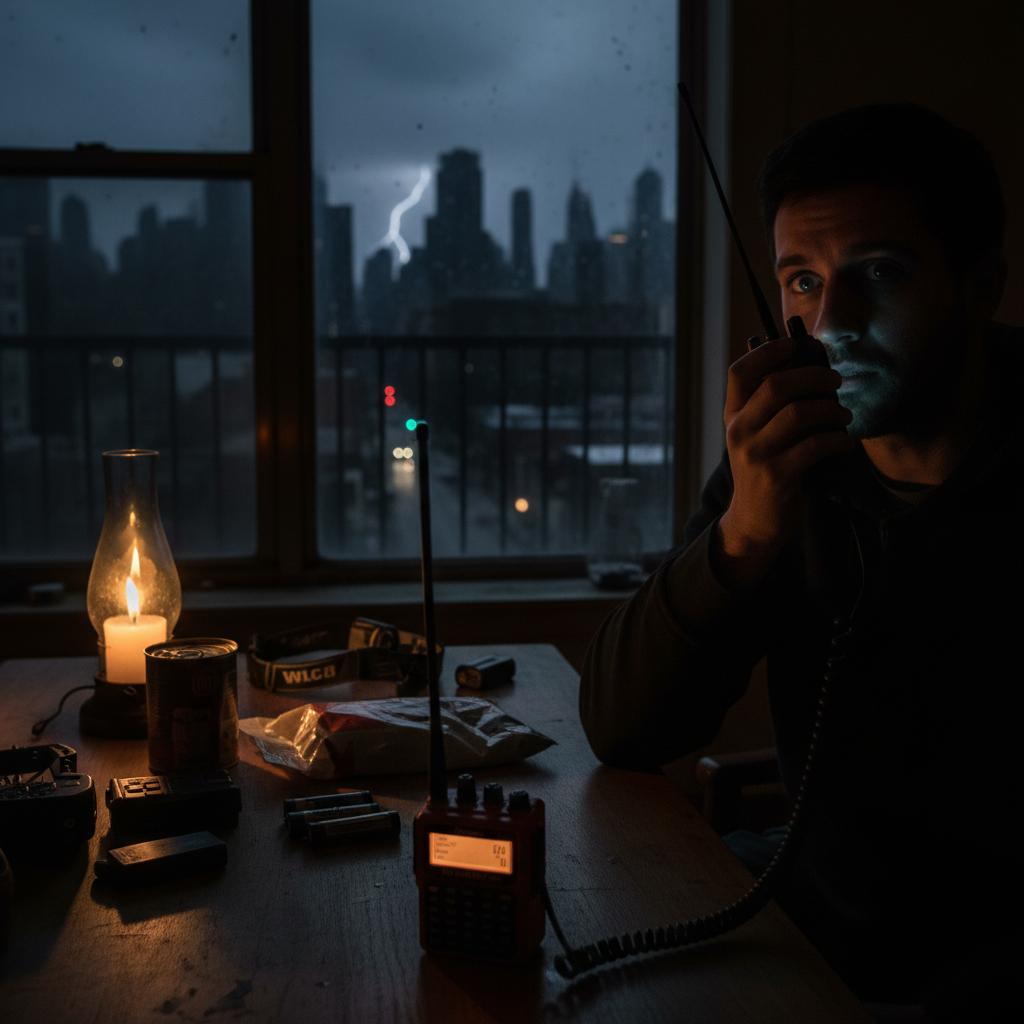
Hurricane Sandy. The 2021 Texas freeze. Any major earthquake. They all have one thing in common: cell towers failed within hours. These scenarios are exactly why cities get hit first during grid failures.
In a grid-down scenario, your smartphone becomes a $1,000 paperweight. The cellular network is designed for 40% over normal capacity — meaning a moderate emergency overwhelms it instantly. Texts won't send. Calls drop. That family group chat you're relying on? Silent.
For apartment dwellers, this is especially dangerous. You're stacked vertically with hundreds of neighbors, potentially isolated from ground-level information, and without the suburban luxury of knowing your neighbors by name. When the power goes out and cell service dies, how will you:
- Check on family members across the city?
- Receive emergency broadcasts and evacuation orders?
- Coordinate with neighbors for shared resources?
- Call for medical help when 911 is jammed?
This guide covers the communication gear that actually works when everything else fails — from $30 FRS radios to ham setups that reach across states. No garage required. No antennas on your roof. Just practical solutions that fit in a 600-square-foot apartment.
Why Cell Networks Fail First (And Why You Can't Rely on Them)
Cell towers have backup batteries. Most last 4-8 hours. Some have generators with a few days of fuel. But here's what the carriers don't advertise: the backup systems prioritize 911 and emergency services. Your Instagram habit? Not a priority.
During Hurricane Sandy, 25% of cell towers in affected areas failed within 24 hours. During the 2021 Texas freeze, millions lost cell service alongside power during winter outages — some for days. The network doesn't just get "slow." It dies.
THE CASCADE TIMELINE
- Hour 0-2: Network congested, texts delayed, calls fail
- Hour 2-8: Towers on battery backup, service intermittent
- Hour 8-48: Generators run out of fuel, towers go dark
- Day 3+: Total communication blackout except satellite and radio
Even when towers stay online, they're overwhelmed. Everyone tries to call at once. The network blocks non-emergency traffic. That "unlimited data" plan? Worthless when the infrastructure is overloaded.
Radio Options: From "No License" to "Full Prepper"
Radio communication works when cell networks don't because it's decentralized. No towers. No central infrastructure. Just radio waves traveling directly from antenna to antenna. Here's your options, ranked by complexity and capability.
Option 1: FRS/GMRS Walkie-Talkies (Start Here)
FRS (Family Radio Service) and GMRS (General Mobile Radio Service) are the modern descendants of the walkie-talkies you had as a kid. But today's models are serious communication tools.
| Type | License Required | Range | Best For |
|---|---|---|---|
| FRS | No | 1-2 miles | Building/neighborhood |
| GMRS | Yes ($35, 10 years) | 5-25 miles | City-wide coordination |
The reality: In a dense urban environment with buildings blocking signals, expect FRS to reach 0.5-1 mile. GMRS with a better antenna might hit 2-5 miles. That's enough to coordinate with family across the neighborhood or check on your building's emergency team.
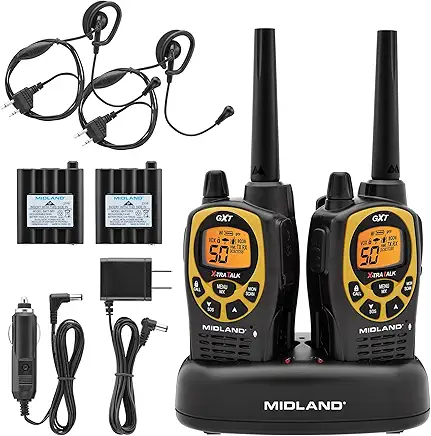
Midland GXT1000VP4
The gold standard for preppers. 50 channels, 36-mile max range (realistically 2-5 in cities), NOAA weather alerts, waterproof. Comes with headsets for discreet communication.
View on Amazon →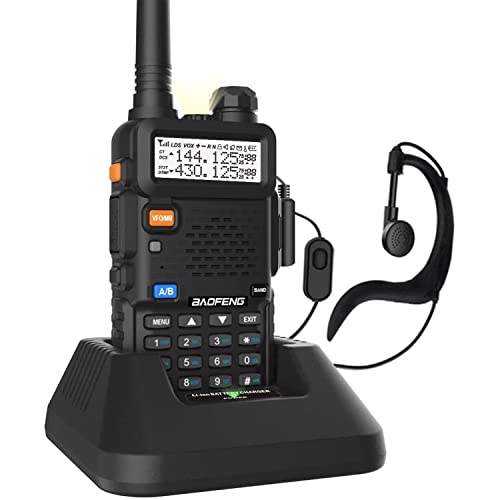
Baofeng UV-5R (Programmed for GMRS/FRS)
The infamous Baofeng — controversial but capable. Program it for GMRS frequencies and you have a $25 radio that outperforms $100 units. Requires programming cable and software.
View on Amazon →Option 2: Ham Radio (The Serious Prepper's Choice)
Amateur radio (ham) is the gold standard for grid-down communication. With the right equipment and license, you can talk across your state, bounce signals off satellites, or reach other continents. During Hurricane Maria, ham operators were the only communication link for Puerto Rico for weeks.
The license: Technician class (entry level) requires passing a 35-question test. Study materials are free online. The test costs about $15. License is good for 10 years. You can take practice tests for free at hamstudy.org.
Apartment-friendly setups: You don't need a 40-foot tower. A simple "slim jim" antenna hung in a window, a mag-mount antenna on a filing cabinet, or even a roll-up antenna tossed over a curtain rod can get you on the air. I've made contacts 50 miles away from my apartment using a $30 antenna and a $50 radio.
Abbree 42.5-Inch Foldable Tactical Antenna
Collapses to 8 inches, extends for serious range. Connects to any Baofeng. The apartment prepper's secret weapon — store it in a drawer, deploy when needed.
View on Amazon →Option 3: Mesh Networks (Phone-to-Phone Without Towers)
This is the bridge between "I want to use my phone" and "cell towers are dead." Mesh networking apps let smartphones communicate directly with each other — no towers, no internet, no problem.
How it works: Your phone's Bluetooth and WiFi radios can communicate with other phones up to 100-300 feet away. Each phone becomes a node, relaying messages through the mesh until they reach their destination. In a dense apartment building, one message could hop from floor to floor, reaching the whole structure.
MESH APPS TO INSTALL NOW
- Bridgefy — Works without internet, Bluetooth-based, popular at protests and festivals
- Briar — Encrypted, peer-to-peer, designed for activists and journalists
- Serval Mesh — Open source, calls and messaging over mesh
- FireChat — Used during Hong Kong protests, though now less maintained
Important: These need to be installed before the emergency. Download them now while you have internet.
Option 4: goTenna Mesh (Purpose-Built Hardware)
If you want mesh networking that "just works" without relying on apps and phone compatibility, goTenna is purpose-built hardware. It's a small device (size of a deck of cards) that pairs with your phone and creates a private mesh network with other goTenna users.
Range: 1-4 miles depending on terrain. In a city with buildings, expect 0.5-1 mile. But here's the key: every goTenna extends the network. If your building has 5 goTennas, they create a mesh that covers the entire complex and relays messages beyond.
goTenna Mesh
Pairs with iOS/Android. Text and GPS location sharing without cell service. 24-hour battery. Waterproof. The "it just works" solution for non-technical family members.
View on Amazon →Receiving Emergency Information: NOAA Weather Radio
Communication isn't just about sending messages — it's about receiving critical information. When TV is out, internet is down, and cell alerts aren't coming through, NOAA weather radio is your lifeline.
The National Weather Service broadcasts 24/7 on special frequencies. Modern weather radios can be set to silently monitor these frequencies and only activate when there's an emergency alert for your specific county. Tornado warning at 3 AM? Your radio wakes you up. Evacuation order issued? You'll know immediately.
Midland WR120B NOAA Weather Radio
Desktop model with SAME alerts (specific to your county). Battery backup. 25 programmable counties. The standard recommendation from emergency management agencies.
View on Amazon →
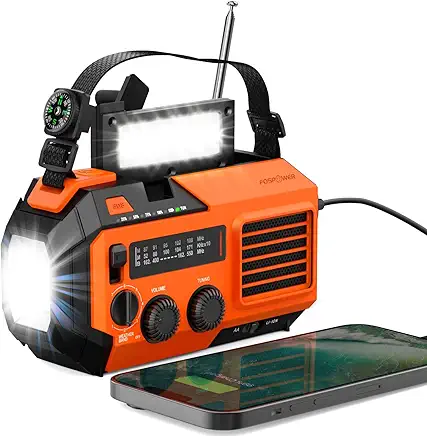
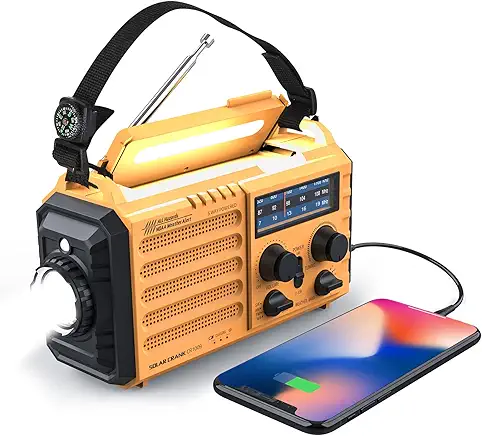
Kaito KA500 5-Way Emergency Radio
AM/FM, shortwave, NOAA weather, flashlight, reading lamp, USB charger. Powered by hand-crank, solar, AA batteries, or AC. The "everything" radio for true grid-down scenarios.
View on Amazon →Protecting Your Gear: Faraday Bags
Here's something most prepper guides skip: EMP and solar flare protection. A high-altitude electromagnetic pulse (HEMP) or severe solar storm could fry unprotected electronics. While the risk is debated, a $20 Faraday bag is cheap insurance for your communication gear.
A Faraday bag (or cage) blocks electromagnetic fields. Store your radios, spare phone, and backup batteries inside, and they're protected from EMP, solar flares, and even tracking/wireless hacking when not in use.
Mission Darkness Non-Window Faraday Bag
Military-grade, tested and certified. Blocks all wireless signals including WiFi, cell, Bluetooth, GPS, and EMP. Fits multiple phones, radios, and key fobs. The gold standard.
View on Amazon →Your Apartment Communication Plan: A Checklist
Having gear is only half the battle. You need a plan. Here's the communication checklist every apartment prepper should complete:
Immediate (This Week)
- Buy a pair of FRS/GMRS radios for household communication
- Download Bridgefy and Briar mesh apps
- Identify family members' locations and plan rally points
- Get a NOAA weather radio with SAME alerts
- Build your 72-hour blackout kit with communication gear included
Short-Term (This Month)
- Get your GMRS license ($35, 10 years, no test)
- Test radio range from your apartment to key locations
- Coordinate with neighbors — who else has radios?
- Establish a family communication tree (who calls whom)
- Store key electronics in a Faraday bag
Long-Term (This Quarter)
- Study for and pass the Technician class ham license exam
- Build or buy an apartment-friendly ham antenna
- Join a local ham club or prepper network
- Consider goTenna Mesh for building-wide coordination
- Practice radio procedures with family
Communication Protocols: How to Actually Use This Stuff
Owning a radio doesn't make you a radio operator. Here are the protocols that separate effective communicators from people just making noise:
Channel discipline: Don't just pick a channel and start talking. Monitor first. Many channels have established uses — Channel 19 on CB is for truckers, certain ham frequencies are for emergencies only. Know before you transmit.
Brevity codes: Use standard codes to keep communication short and clear:
| Code | Meaning |
|---|---|
| 10-4 | Message received/understood |
| 10-20 | What's your location? |
| Break | Emergency traffic (immediate pause) |
| Mayday | Life-threatening emergency |
| Copy | I heard you |
| Wilco | Will comply |
| Over | I'm done talking, waiting for response |
| Out | Conversation over, signing off |
Power management: Radios are useless with dead batteries. Always have spare batteries, a solar charger, or hand-crank backup. Test battery life in actual use — continuous transmission drains power fast.
OPSEC: Operational security. Don't broadcast your exact location, your supplies, or your plans on open frequencies. Anyone can listen. Use coded references: "Location Alpha" instead of "the apartment on 5th Street."
LEVEL UP YOUR COMMUNICATION
Basic radios handle neighborhood communication. But what if you need to reach family across the state? Or get news when all local infrastructure is down? These upgrades close the gap.
Garmin inReach Mini 2
Satellite communicator. Two-way texting anywhere on Earth via Iridium satellite network. SOS button for true emergencies. Requires subscription but works when literally everything else fails.
View on Amazon →
Goal Zero Nomad 20 Solar Panel
Keep your radios charged indefinitely. 20W output, foldable, waterproof. Can charge multiple devices simultaneously. Essential for extended outages.
View on Amazon →
Grid-Down Survival Guide
Our complete 182-page guide covers communication in depth — including a full radio frequency reference chart, antenna building guides, and emergency contact templates. The deep dive on staying connected.
Get the Guide →GET THE COMMUNICATION CHECKLIST
Download our printable 1-page communication plan template. Includes frequency charts, call sign worksheets, and emergency contact trees. Free when you join our list.